Making a life in a new language? Working with a multi-lingual team? Now you can finally keep up.
Serve global clients
Tour operators, property managers, anyone with customers across languages.
Connect better
Express what you actually mean — not what Google thinks you mean.
Stay in touch
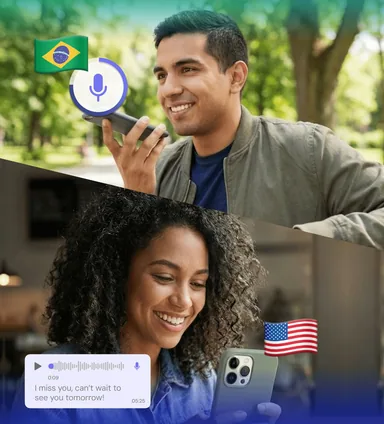
Talk with in-laws, grandparents, extended family — in their language.
Features
Everything You Need
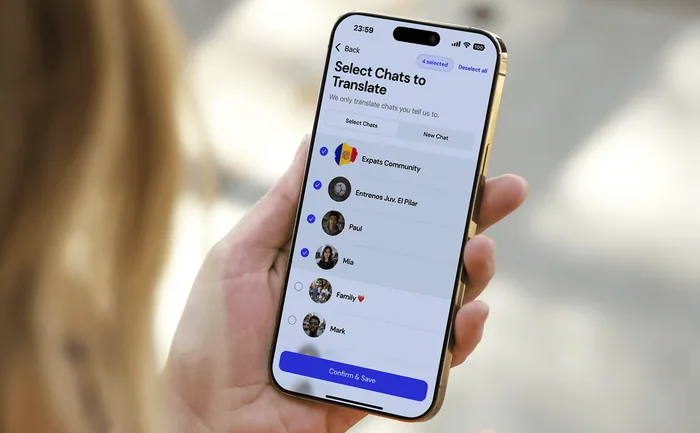
Read any chat in your language
You choose which chats you want translated.
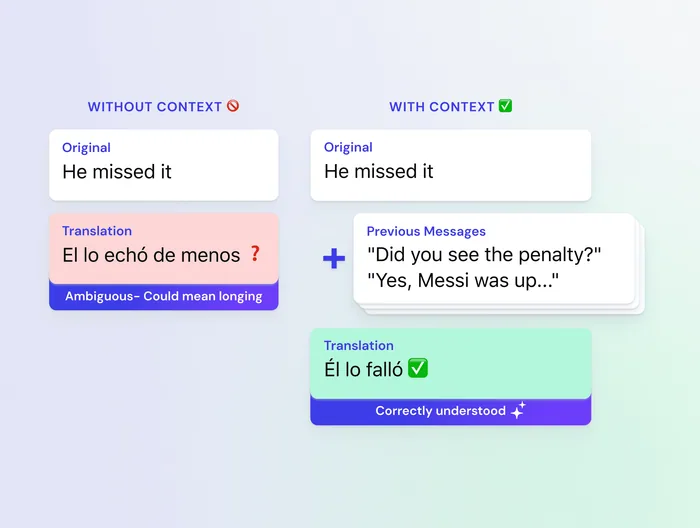
Smarter AI translation
Translates multiple messages at once for better quality.
Voice notes, understood
Receive voice notes auto-transcribed and translated.
Reply in your language
Messages automatically translated and sent to contacts.
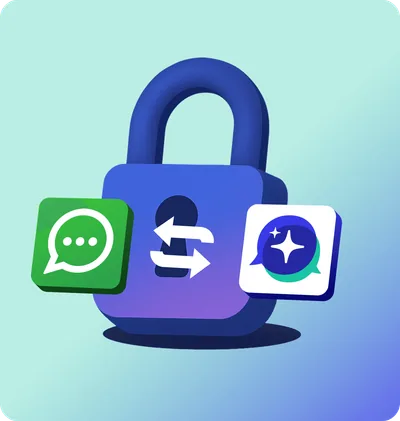
Fully anonymous and secure
Works with your existing WhatsApp account. Your data stays private.
Real-time sync
Instant syncing with your WhatsApp chats as they happen.
Complete chat experience
Send images, reactions, and chat as normal.
Preview mode
See translations before they're sent — great for learning.
How WhatLingo Works
Set Up Once, Translate Forever
WhatLingo is a separate WhatsApp translation app, not a keyboard or WhatsApp plugin. After one-time setup, use WhatLingo to read and reply to WhatsApp messages in your language.
Download WhatLingo from the App Store
Connect your WhatsApp Account
Choose your chats. Read & Reply in your language.
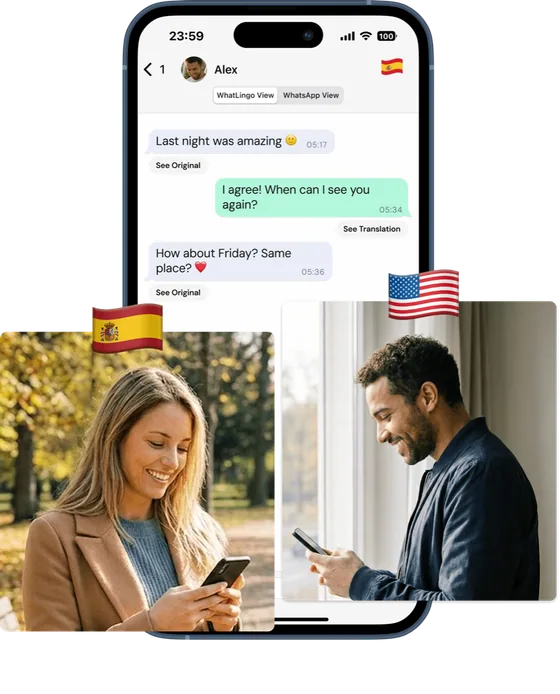
Only you need the app. Contacts see perfectly translated messages without downloading anything.
Reply in your language. Send in theirs.
Download WhatLingo and automatically translate WhatsApp in real time.
WhatLingo is a standalone app that connects securely to your WhatsApp account and provides real-time, automatic translation of your conversations. Unlike tap-to-translate tools or translator keyboards, you see your complete chat in your language — incoming messages, outgoing messages, and full history — so conversations flow naturally.
How is WhatLingo different from using ChatGPT, Google Translate, or iOS tap-to-translate for WhatsApp messages?
Most translation methods are manual, disruptive and one-way:
Copy/paste tools (ChatGPT, DeepL, Google Translate etc) force you to constantly switch apps, copy messages, paste for translation, copy the result, switch back, and paste into WhatsApp — all while only translating what you manually select, not everything you receive.
iOS tap-to-translate shows translations in a temporary overlay that disappears immediately — you have to tap every single message you want to read, and it doesn't translate your outgoing messages at all.
Translator keyboards require switching keyboards and only translate outgoing text, never incoming messages.
WhatLingo is the only solution that shows your full conversation thread — both sides — in your language, instantly, as you chat. No tap to translate, no copy + paste with another app, no translator keyboards. It works in group chats and supports voice messages too.
How does automatic translation work for both sides of the conversation?
Every incoming message appears instantly in your language — including group chats with multiple languages. When you reply, WhatLingo translates your message and sends it through WhatsApp. Your entire chat history (past and present) stays translated, so you never lose context or have to re-translate old messages.
Does WhatLingo support group chats?
Yes! Even when multiple people are using different languages simultaneously, you'll see everything in your language. Each reply you send gets translated into the preset group chat language.
Does WhatLingo support voice messages?
Yes! 🎉 Incoming voice notes are seamlessly transcribed and translated for you.
Which languages are supported?
WhatLingo supports over 35 languages and dialects, including English (US/UK), Spanish (Europe/Latin America), Portuguese (Brazil/Portugal), French, German, Catalan, Chinese (Simplified & Traditional), Ukrainian, Hindi, Greek, Turkish, Japanese, Korean, Arabic (Saudi/Egypt), Hebrew, and many more. New languages are added regularly.
Is WhatLingo a translator keyboard app?
No. Translator keyboards only handle what you type — they're one-way, require repetitive keyboard switching, and don't help with your incoming messages. WhatLingo translates the complete conversation automatically, in both directions, without any manual steps.
Is my data private & secure?
Yes. Privacy is built in:
Only the chats you choose are translated.
Messages are never stored outside your device.
Translations are sent securely and anonymously over HTTPS.
Your phone number is used only for linking your WhatsApp account — never stored or shared.
How do I connect my WhatsApp account?
It takes less than a minute:
Enter your phone number.
Copy the displayed verification code.
Paste it into WhatsApp's "Linked Devices" section.
Return to WhatLingo — and you're ready to chat in any language!
Need help? Watch our quick setup video or use live support.
Will people know I'm using WhatLingo?
No. To your contacts, your messages arrive via WhatsApp naturally in their language. Contacts don't need to install anything. They won't know you're using WhatLingo unless you want to help share the love and tell them what an awesome app you've found for translation :)
What translation technology do you use?
WhatLingo uses advanced AI translation models (including Google Gemini) for accurate, natural-sounding translations — so conversations feel human, not robotic.
Is WhatLingo free?
You can try WhatLingo free via our free trial. After the trial, keep chatting with a simple subscription (monthly, 6-month, or annual). Cancel anytime through your App Store settings.
Who created WhatLingo?
WhatLingo was created by Whitespectre, a global team working across 15 countries. As multilingual expats ourselves, we built WhatLingo to stay connected with family, friends, and teams across the world — and now we're sharing it with you.